Hobbyist vs Team Plans for Cloud Coding Agents
Team plans add governance and shared infrastructure that individual accounts cannot replicate.
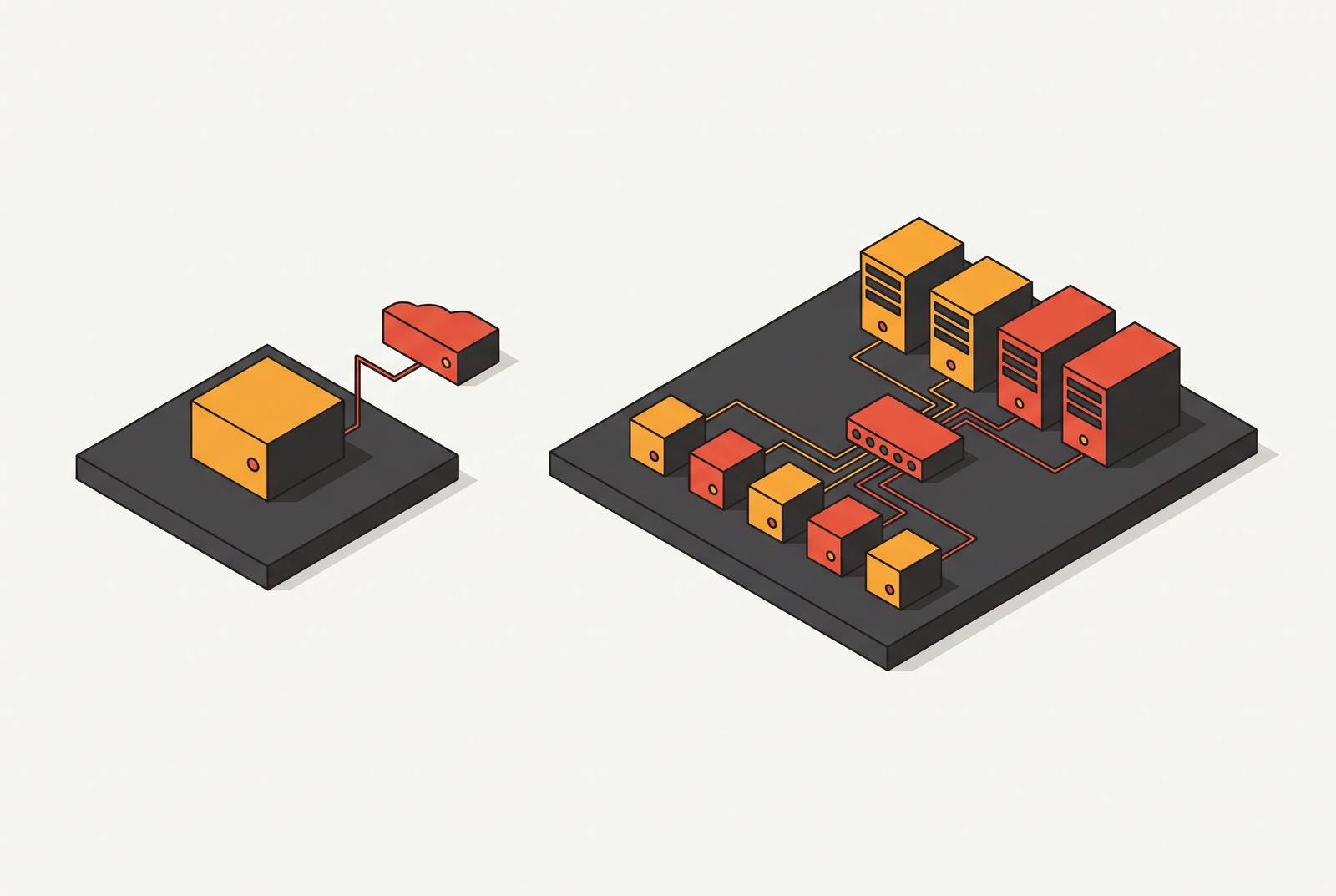
Buyers evaluating cloud coding agent pricing usually treat the choice as a matter of budget: pay more, get more. That framing misses what actually separates an individual plan from a team plan. Individual plans are built around personal flexibility, usage caps, and flat-rate billing for one developer working alone. Team plans add an entirely different layer: shared environments, governance controls, audit trails, integration hooks, and attribution, none of which have any individual equivalent because none of them make sense for a single user. A group of engineers each paying for their own individual plan does not add up to a team plan. It produces a set of disconnected personal sandboxes, each invisible to the others, with no shared record of what ran, who ran it, or what it cost the organization.
How the major harnesses structure their individual tiers
The individual tiers offered by the major coding agent harnesses follow a consistent logic: one flat monthly price, a usage cap tied to that single account, and no feature that reaches past the person paying for it. Claude Code's Pro plan costs $20 a month and covers usage windows that reset on five-hour and weekly cycles, with that usage shared across both Claude chat and Claude Code itself. It's a personal allowance, not a pool anyone else can draw from. Cursor's individual plans follow the same shape: usage is sold per seat, that usage doesn't transfer between people, and the individual tiers stop well short of what the Teams tier offers. Both harnesses are solving the same problem at the individual level: give one developer a predictable, capped way to pay for their own agent usage. Neither is built to let an organization see, control, or coordinate agent work across many people running sessions at once, because that isn't the problem the individual tier was designed to solve.
What team plans add beyond individual-plan capabilities
Team plans don't simply raise the usage cap or add a few extra settings. They introduce shared infrastructure and org-level controls that no number of individual accounts, bought together, could replicate. Shared usage pools let compute or credits flow across an entire team's seats, so one engineer running a long, expensive session doesn't starve a colleague's work later in the day. No individual account has a mechanism for pooling in that direction. Team plans also bring admin tooling that simply has no individual-tier analog: billing dashboards an administrator can see across the whole org, role-based access controls, and the ability to manage credentials and permissions centrally rather than leaving each developer to handle their own API keys.
Privacy guarantees follow the same split. Cursor Teams includes a team-wide privacy mode, and Codex Business excludes organizational data from model training. Individual plans carry no such commitment, because there's no organization to protect and no data-governance promise to make.
The Claude Code access structure makes the point concretely. An individual can buy Claude Code Pro for $20 a month on their own. A team of two or more that needs Claude Code access has to buy either a Standard or a Premium team seat instead, since Standard seats include Claude Code access and Premium seats cost more but give heavier users more usage capacity. The individual price simply isn't available to a team of any size; the access is sold differently because the usage pattern it has to support is different.
The pricing fork between Cursor Teams and Codex Business runs on the same logic. Cursor carries a meaningful premium over Codex Business at the team level, and that premium buys something specific: shared cloud agents, automations, Bugbot, usage analytics, and SSO. None of that is a markup on the same product. It's a different bundle of capability sold at a different price because the two plans are solving different organizational problems.
The importance of the agent's runtime environment
Picking a team plan answers the billing and governance question, but it leaves a second question completely open: where does the agent actually run, and who controls that environment? Individual use typically happens inside a vendor-managed sandbox that exists for one session, disappears when the session ends, and was never visible to anyone but the person who started it. Team use demands something structurally different. A workspace needs to survive pauses and restarts. A teammate needs to be able to connect to an environment someone else started, to inspect it or pick up where the work left off. Secrets need to be injected at runtime and scoped tightly to the task at hand, rather than sitting in a developer's local environment indefinitely. And the environment itself needs to be something a system, not a person, can create and tear down for each ticket.
Isolation becomes more important as the number of concurrent agents grows. A microVM gives each task its own isolation boundary, which is a stronger guarantee than a shared container can offer, since containers run on a shared host kernel. When dozens of agents are running at once across a team, that distinction stops being theoretical: a container-level failure or a prompt injection in one agent's session has a path to reach other workloads running on the same host, while a microVM boundary contains the problem to the task where it started. Replicas, for instance, provisions a separate microVM per task rather than sharing containers, so one agent's misconfiguration or a prompt injection cannot leak into another team member's concurrent work.
Persistence is a related decision that only exists at team scale. Teams can choose to disable persistence for throwaway environments, where files and agent sign-ins clear automatically once the session stops, or leave persistence on so that work survives a disconnect. Individual plans don't offer this as a toggle at all, because there's no second person whose access to that persistent state would matter. Teams also gain the ability to manage environments programmatically, through an API that can create, pause, resume, and delete them from a script or a CI job. That turns agent infrastructure into something a ticket, a pull request event, or a scheduled job can trigger directly, without a person in the loop starting each session by hand.
For organizations with compliance or data-residency obligations, bring-your-own-cloud options matter as well. Running agent environments inside a team's own AWS, GCP, Azure, Oracle, or CoreWeave account addresses requirements that an individual developer, working alone, never has reason to think about. Some platforms have documented support for this kind of team-grade environment control, representative of the category. Platforms such as Replicas extend the same architecture further, pooling agent execution across a team's choice of harness, whether that's Claude Code, Cursor, Codex, or Opencode, inside isolated VMs that can be triggered directly from Linear or GitHub. The effect is that harness selection becomes a governance and cost decision a team can revisit at any time.
How team plans connect agents to existing workflows
Team-tier plans and platforms build in integration hooks, into Slack, Linear, GitHub, and GitLab, that let agents show up inside the tools engineers already use rather than sitting off to the side as something a developer has to remember to open. Slack Code, which launched in August 2026, gives software teams dedicated channels for working with AI coding agents directly, and currently supports Claude Code, Cognition's Devin, GitHub Copilot, OpenAI's ChatGPT, and Vercel. An engineer can address an agent in the same channel where the rest of the team is already discussing the work. Cursor's cloud agents work the same way: mentioning @cursor in Slack triggers the agent, and the result comes back as a pull request that's reviewable from a phone.
Linear's Coding Sessions feature shows the pattern at its most complete. Teams can automatically delegate incoming issues to a coding session running Claude Code or Codex, the agent drafts a pull request, and the diff drops directly into the issue for review, drawing from a shared AI credit pool available on Linear's Basic, Business, and Enterprise plans. Linear's own engineering team runs this loop in practice: an issue gets delegated to an agent but stays assigned to the human engineer, a coding agent (Codex in this case) takes a first pass and drafts a pull request, the engineer picks up the work locally if it needs more, and a human gives the final approval before anything merges. Once that pull request merges, Linear's GitHub integration can mark the issue Done automatically, provided the team has configured workflow automations at the team level to make that connection. None of this requires anyone to leave the ticketing system they already use every day.
GitHub's own Copilot coding agent takes a similar approach from the other direction, living inside GitHub itself. An engineer can assign an issue to Copilot directly on github.com, through GitHub Mobile, or via the CLI, and the agent works inside an ephemeral GitHub Actions environment, pushing commits to a draft pull request. By default, a human has to approve the work before any CI/CD workflow runs on it, though administrators can now turn that requirement off if they choose. Jules takes the integration a step further by exposing a public API, letting teams wire agent tasks directly into CI/CD pipelines and tools like Slack and Linear, with an editable plan checkpoint before any code gets written. Replicas fits the same pattern: agents are triggered from Slack, Linear, GitHub, or GitLab and return their output as a pull request or a reply, with the integration itself functioning as the product rather than an add-on bolted onto a separate core offering.
Individual plans have no version of any of this. There's no mechanism for a ticket or a Slack message to start a session, because an individual plan was never built to receive triggers from a shared system. Every session starts because the one person on the account opened it manually.
Attribution and analytics as the key to governable team-scale agent use
Once agents are running across a team, inside shared environments, triggered automatically from tickets and Slack messages, a new problem appears that none of the previous layers solve on their own: knowing what actually happened. Traditional engineering metrics stop working once agents enter the picture. More pull requests and more lines of code used to signal more output; now they can just as easily signal an agent generating volume without corresponding value, which makes PRs-per-week and lines-of-code meaningless as a measure of what shipped.
The metrics that hold up at team scale are different: adoption rates, the share of code that's AI-assisted, rework ratios, and cost-per-output. Every one of them depends on tool-level attribution to even compute. Cursor Enterprise gives administrators analytics dashboards that show adoption rates, usage patterns broken down by team and by individual, and AI-assisted code metrics, and its AI Code Tracking API maps AI-generated line counts from Tab and Composer back to specific git commits. None of that capability exists at the individual tier, because there's no organization-wide view for it to populate.
Even with tools like this, the market hasn't closed the full gap. No major benchmark report currently ties commit-level, multi-tool attribution to 30-day production outcomes, so a team that wants that level of visibility has to build it internally or adopt a platform that instruments it natively. Team plans that include usage analytics, like Cursor's dashboards or the billing breakdowns in Codex Business, let a team see which engineers triggered which agents and what came out of it. Platforms built specifically for team-scale agent work go a step further: Replicas, for example, attributes every run down to the source, the harness, the model, and the credential that paid for it, which lets a team measure and manage agent spend across the whole organization.
Without that layer of attribution, none of the governance or workflow integration built into a team plan can actually be governed in practice. Usage climbs, cost climbs alongside it, and an engineering leader has no way to tell whether the agent activity produced anything worth what it cost. Attribution is what turns agent usage from an expense into something measurable, and it's the capability that separates a team that has deployed agents from a team that can actually account for what those agents are doing.
Evaluating a move from individual to team plans
The decision to move a team off individual plans is triggered by the appearance of governance, attribution, and integration needs that individual plans were never built to address, regardless of how many people are on the team. The right way to evaluate the move is to ask architectural questions, not commercial ones.
Do agents need to run in environments that teammates can inspect, continue, or audit after the fact? If so, the private, single-session sandbox that comes with an individual plan can't serve that need, no matter how many individual seats a team buys. Does the organization require SSO, role-based access, or guarantees that its code won't train someone else's model? Those protections exist only at the team tier, across every major harness examined here. Do engineers need agent work to start from a Slack message, a Linear ticket, or a GitHub event? Workflow integration of that kind is a team-tier capability by construction. And does the organization need to know, after an agent finishes a task, which agent ran, on which model, under which credential, and what the run cost? That kind of attribution exists at the team and platform level and is absent from individual plans.
Harness-agnosticism carries more weight at the team level than it does for an individual developer picking a tool for personal use. Committing a team to a single harness's team plan means that if a stronger model ships somewhere else, switching requires renegotiating a contract and migrating workflows built around the old one. Platforms that run multiple harnesses, including Claude Code, Codex, Cursor, and Opencode, inside the same environment keep that option open.
The environment decision has to be made separately from the plan decision, because a team plan subscription says nothing about where the agent actually executes. A team still has to decide whether a vendor-managed sandbox is good enough or whether compliance and data-residency requirements call for isolated VMs running inside the team's own cloud account. And the cost structure itself changes shape at the team tier, not just magnitude: individual plans are flat per-person rates, while team plans combine seat costs, shared credit pools, and often a separate environment cost layered on top. A team evaluating the move should model the full cost, including environment, not just seat price.